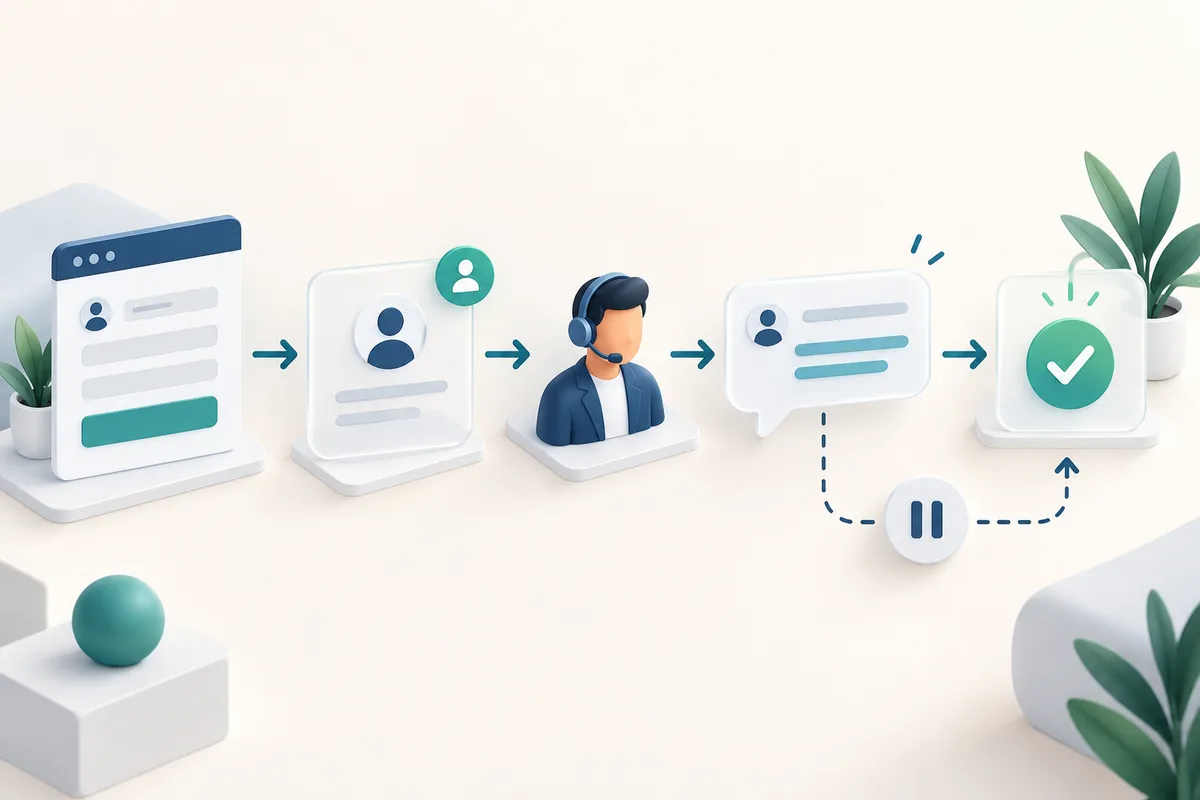
Quick answer: A reliable CRM lead follow-up workflow captures each enquiry once, assigns a responsible person, creates a timed next action and stops automated reminders when the customer replies or opts out. Start with one lead source and a small set of explicit rules before adding AI scoring or more channels.
This blueprint is for Indian service businesses that receive enquiries through websites, ads and messaging. It is a proposed implementation framework, not a report of measured customer results.
Define the lead record before choosing the automation
Write down what the sales team needs to act: a unique enquiry ID, contact details, the requested service, the original message, source page, campaign parameters when available, creation time, owner, status and next-action due time. Keep a separate record of channel preferences and any permission needed for outreach. Collect only information you will use.
Separate a person from an enquiry. One person may ask about both a website and a support chatbot. Merge duplicate contact records carefully while preserving those two requests. Conversely, a repeated form submission or webhook delivery should not create two sales tasks or trigger two welcome messages.
Use an explicit state model
Agree these states with the people who handle leads. A status must describe an observable event rather than a salesperson's guess about interest.
| State | What it means | Next action |
|---|---|---|
| New | The enquiry has been recorded and validated. | Assign an owner and acknowledge receipt if appropriate. |
| Assigned | A named person or staffed queue owns the enquiry. | Create a response task with a due time. |
| Contacted | A meaningful response has been sent. | Record the conversation and agreed next step. |
| Qualified | The team has confirmed a relevant need. | Prepare a discovery call or proposal. |
| Closed | The enquiry is won, lost or unsuitable. | Record the reason and stop the active sequence. |
Record delivery failures separately. An attempted message is not proof that a customer received it; an automatic acknowledgement is not a completed sales conversation.
Route leads to someone who can respond
Start with existing account ownership, then match service expertise and operating hours. Use a shared queue only if someone is accountable for checking it. If no rule matches, send the enquiry to a named fallback owner instead of silently leaving it unassigned.
Zoho CRM supports rule-based assignment, but the entry path matters: its documentation describes assignment rules for records arriving through sources such as imports, web forms and APIs. Verify how your specific integration invokes the rules instead of assuming every manually created record behaves identically. See Zoho's assignment-rule documentation.
Define a response target that your team can meet. An illustrative policy might be a human response within one working hour and an escalation to the backup owner when overdue. That is a sample operating rule, not an industry benchmark or a WaveINO service commitment. Explain out-of-hours expectations in the acknowledgement.
Make follow-up conditional, with clear stop rules
Before each message, check the latest record again. Has the person replied, booked a call, become a customer, been disqualified or asked to stop? If so, cancel the remaining generic reminders and hand the conversation to its owner. Avoid separate email and messaging workflows that keep running after another channel receives a reply.
Use the channel the customer requested and verify the current platform requirements for outbound messaging. Do not treat an enquiry as unlimited permission to send marketing across every channel. Keep a shared suppression record so a later import does not accidentally restart an unwanted sequence.
HubSpot distinguishes manually removing a record from a workflow from preventing future enrollment. Its documentation points to suppression lists or unenrollment triggers when you need a persistent exclusion. Check both the immediate stop and re-enrollment behavior in your selected tool. See HubSpot's workflow unenrollment guide.
A simple example for a website enquiry
- A visitor asks for an ecommerce website through a form. Save the enquiry and source information, then check whether this exact submission was processed before.
- Assign the ecommerce owner. If unavailable, use the documented backup queue.
- Send a brief acknowledgement that says what was received and when a person will respond. Do not invent a quotation or promise a launch date.
- Create a human task to clarify catalogue size, checkout requirements and existing systems.
- If a reply arrives before a reminder is due, stop the generic sequence and attach the reply to the active enquiry.
- If delivery fails or the task becomes overdue, notify the internal owner and record the exception for review.
Use CRM automation for record ownership and workflow controls, and AI automation only where it adds a useful, testable step. AI can draft a summary for review; it should not invent missing customer facts or automatically promise discounts.
Test failure cases before enabling live outreach
- Duplicate delivery: Submit the same event twice. Expect one enquiry and one acknowledgement.
- Unavailable owner: Remove the primary owner's availability. Expect a visible fallback assignment.
- Late reply: Reply just before a scheduled reminder. Expect the reminder to stop.
- Opt-out and re-import: Re-import a suppressed contact. Expect outreach to remain suppressed.
- Integration failure: Simulate a failed downstream step. Expect an alert, a retained record and a controlled recovery path.
- After-hours enquiry: Check that the due time follows the agreed working calendar.
Run tests with clearly labeled test contacts. Keep message delivery disabled while checking routing, then run a small controlled pilot with authorized recipients. Verify recovery does not repeat a message that already succeeded.
Measure ownership and outcomes
Review unassigned enquiries, overdue tasks, duplicate records, failed deliveries and stop-rule failures each week. Track time to the first meaningful human response separately from acknowledgement time. Define a qualified enquiry in writing so the team uses the same denominator when reporting qualification rates.
Compare equivalent periods and lead sources before attributing improvement to automation. Changes in advertising, seasonality or enquiry quality can affect results. Preserve source information for analysis, but do not claim a particular channel caused a sale when the evidence is incomplete.
Frequently asked questions
Do we need AI to automate lead follow-up?
No. Capture, assignment, reminders and stop rules can use deterministic conditions. Add AI only for a defined task, such as drafting a conversation summary that the owner checks.
What should happen when a customer replies?
The generic sequence should stop, the reply should be linked to the enquiry, and the owner should receive the next-action task. Test this across every connected channel.
What should we automate first?
Start with one form, one owner rule, one fallback and one response task. Expand after you can explain and verify every state transition.
Plan your workflow with WaveINO
Bring a sample of your current enquiry fields, lead sources, ownership rules and follow-up process to a scope discussion. Use this blueprint to agree acceptance tests before implementation. For broader opportunities, read AI automation ideas for Indian businesses.
Prepared with AI assistance for WaveINO. Sources and workflow recommendations checked on 13 September 2026. Examples are illustrative; platform capabilities and access depend on the chosen product and plan. Featured image is an AI-generated conceptual illustration, not a customer system.