Quick answer: CRM duplicate contact rules prevent sales teams from calling the same prospect twice when a buyer submits a website enquiry form and simultaneously starts a WhatsApp chat. To eliminate split conversation histories and conflicting rep assignments, normalize Indian and international phone numbers to E.164 format, evaluate composite identity keys (phone_e164 + email_lowercase) before creating records, and attach new touchpoints to the active open deal owner.
In B2B and high-consideration service businesses across India, buyers rarely stick to a single channel. A founder or procurement manager often fills out a website contact form on desktop and clicks the floating WhatsApp button from their phone five minutes later—frequently using a personal Gmail address on one channel and a corporate email or alternate mobile number on the other. Without deterministic deduplication rules, your CRM creates two separate leads and assigns two sales reps to pitch the same prospect.
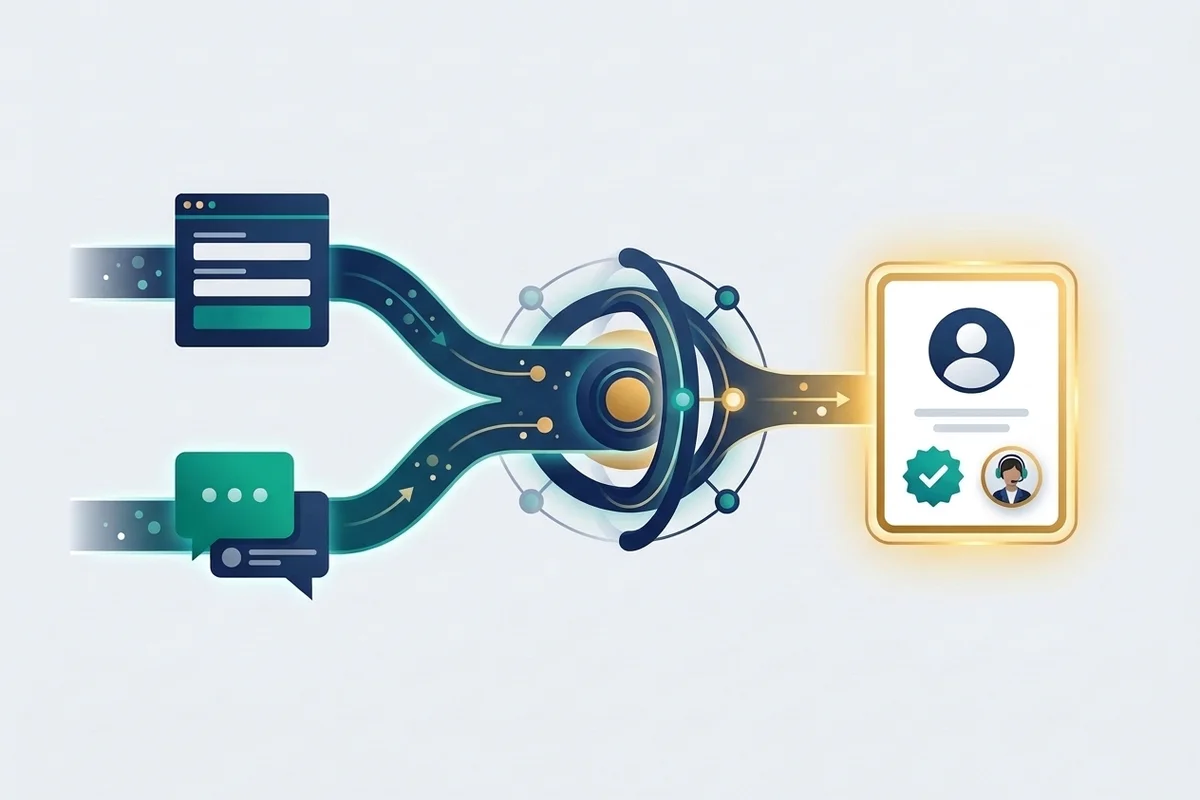
1. Why Multi-Channel Leads Create Duplicate Records
Most standard webhook integrations between website builders, WhatsApp Business Solution Providers (BSPs), and CRMs fail at deduplication for three structural reasons:
- Inconsistent Phone Formatting: A website form might capture
098765 43210or9876543210, while the WhatsApp Cloud API webhook payload delivers the sender's `wa_id` as `919876543210` without a leading plus sign. A naive string comparison treats all three as distinct people. - Channel-Specific Missing Fields: Initial WhatsApp inbound messages provide only a phone number and display profile name (no email address), whereas website downloadable guide forms often capture only a work email (no phone number).
- Concurrent Webhook Race Conditions: When a user submits a form that immediately redirects to a pre-filled WhatsApp trigger, both webhooks hit the CRM ingestion endpoint within seconds, creating two contacts before either transaction commits.
2. The 4-Step Identity Normalization and Matching Pipeline
Before executing a CRM `create` operation, run every incoming lead payload through a pre-ingestion normalization and lookup pipeline:
- Normalize Phone Numbers to E.164: Parse raw phone inputs according to the ITU-T E.164 international numbering standard. Remove all non-digit characters, strip leading trunk prefixes (`0` or `00`), apply the default country code (`+91` for domestic Indian forms where 10 digits start with `6–9`), and store the canonical string (e.g., `+919876543210`).
- Canonicalize Email Addresses: Trim whitespace, convert to lowercase, and flag free consumer domains (`gmail.com`, `yahoo.com`, `outlook.com`) so domain-level company matching only runs on corporate domains.
- Execute Ordered Lookup Rules: Query the CRM contact index in strict priority order:
- Tier 1 (Exact Primary Key): Match on `phone_e164` OR `email_canonical`.
- Tier 2 (Cross-Contact Company Match): If a corporate email domain matches an open B2B opportunity created within the last 60 days, link the new contact to the existing Company/Account record and notify the assigned owner.
- Tier 3 (Fuzzy Name + City/IP Window): If an inbound WhatsApp message shares the exact full name of a website form lead submitted within the last 15 minutes without a phone number, flag for one-click merge.
- Upsert Using Deterministic Idempotency Locks: Acquire a short-lived lock on `phone_e164` or `email_canonical` for 10 seconds during webhook processing so simultaneous website and WhatsApp events resolve to the same contact ID.
3. Field-Level Merge and Routing Decision Matrix
When a duplicate match is detected, automated workflows must know which fields to keep, which to update, and how to notify the sales team:
| CRM Attribute | Existing Record State | Incoming Payload (2nd Channel) | Required Merge Rule |
|---|---|---|---|
| Contact Owner | Assigned to Rep A (Active Open Deal) | Round-Robin selects Rep B | Keep Rep A. Suppress round-robin reassignment and send an instant multi-channel alert to Rep A. |
| Contact Owner | Closed-Lost > 90 days ago (Inactive) | New high-intent service inquiry | Reopen or create new Deal; route via current active availability rules while keeping historical contact ID. |
| Lead Source | Google Search - Website Form |
WhatsApp Inbound Chat |
Preserve Original Lead Source as Website Form; update Latest Touch Channel to WhatsApp. |
| Email Address | Empty (WhatsApp-first lead) | rahul@company.in (Website form) |
Populate primary email field and link contact to the corporate domain account. |
| Project Notes / Message | Initial website enquiry message | WhatsApp voice/text requirement details | Never overwrite. Append timestamped channel note to the unified activity timeline. |
4. Pre-Launch Acceptance Checklist for CRM Deduplication
Run these five verification tests before enabling automated lead routing across website forms and WhatsApp:
- Format Permutation Test: Submit a test lead on the website using
098765-43210and immediately message the WhatsApp bot from+91 98765 43210. Verify that exactly one contact is created. - Attribution Preservation Test: Ensure UTM parameters (`utm_source`, `utm_medium`, `utm_campaign`, `gclid`) captured on the initial website session are not erased when the user subsequently replies via WhatsApp.
- Owner Notification Test: Confirm that when an existing open lead messages on WhatsApp, the assigned account executive receives a direct Slack/CRM ping rather than the lead entering the unassigned pool.
- Opt-Out Synchronization Test: If a contact replies `STOP` on WhatsApp or unsubscribes via email, verify that marketing broadcast flags update on the single master record so duplicate records cannot bypass consent rules.
- Manual Merge Audit Trail: Log every automated and manual merge (`merged_from_id`, `merged_into_id`, `match_tier`, `timestamp`) so operations teams can audit or reverse false-positive merges.
Frequently Asked Questions
Should a CRM use email or phone number as the primary unique identifier in India?
For Indian SMB and B2B workflows where WhatsApp is a primary communication channel, use a composite lookup that checks both normalized E.164 phone number and lowercase email address. Relying solely on email fails for WhatsApp-first inquiries that do not initially provide an email.
How do you prevent company-level duplicates when two colleagues inquire separately?
Do not merge two distinct employees into a single Contact record. Instead, match their corporate email domain (excluding public providers like Gmail or Yahoo) to a single parent Account/Company record and assign both contacts to the same account owner so the sales rep has full context.
What should happen if a lead enters a different email address on WhatsApp than on the website?
If the normalized E.164 mobile number matches an existing contact, keep the existing primary email and store the new email in a `Secondary Email` field rather than overwriting the primary address or creating a second contact.
Does merging duplicate contacts break automated appointment reminders?
It can if reminder jobs reference a deleted secondary contact ID. Always configure scheduling and reminder automations to resolve merged contact redirects or update foreign keys on active bookings before completing a contact merge.
Streamline your CRM and WhatsApp lead workflows with WaveINO
Clean CRM architecture prevents awkward double-calls and ensures every high-intent inquiry receives a fast, context-aware response. Pair these deduplication rules with our CRM and lead follow-up automation blueprint, review our appointment scheduling automation checklist, explore our custom AI Automation services, or request a workflow architecture consultation with WaveINO.
Editorial note: This guide is for educational and technical planning purposes. Webhook schemas and deduplication capabilities vary across CRM platforms and WhatsApp Business Solution Providers. Content and standards verified October 2026.